Cook AI
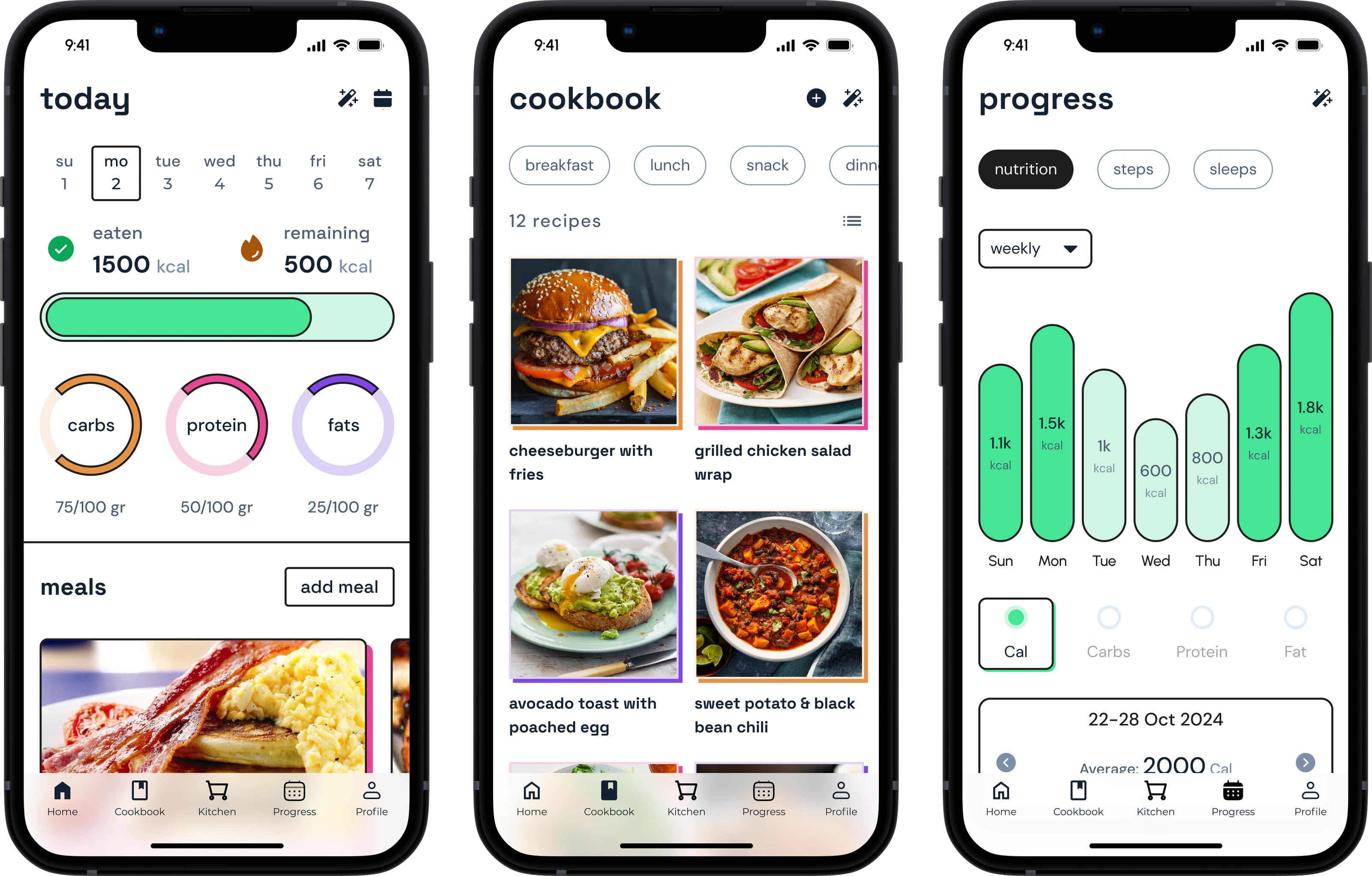
Cook AI was a simple chatbot designed to help users find and follow recipes through conversation. While the initial version was functional and launched successfully, it quickly became clear that users expected more.
In response, I was asked for a full redesign of the app. This included creating a new design system and introducing key features to improve usability, discovery, and overall value to the user.
The Problem
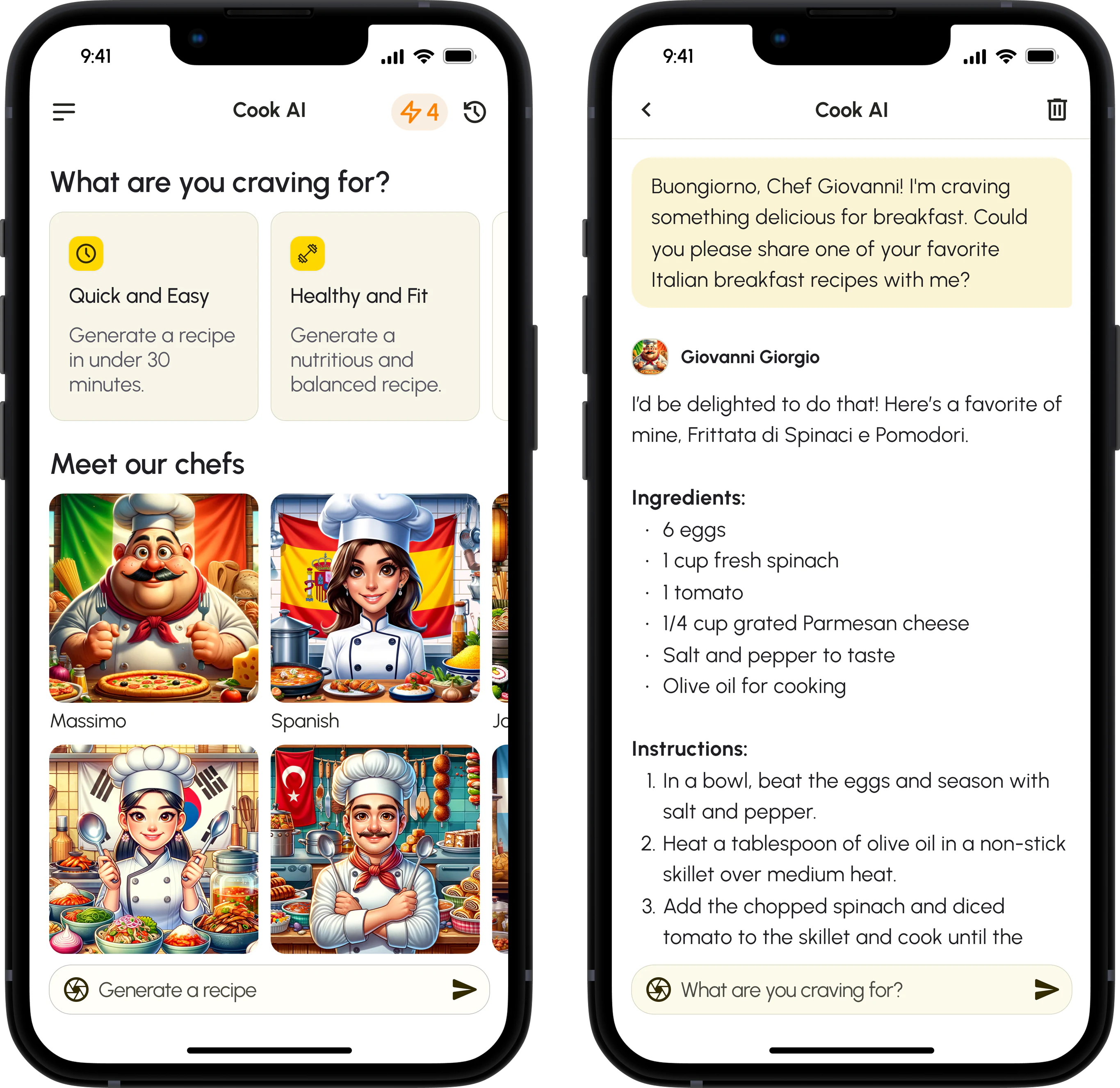
The first Cook AI was a recipe chatbot with two pages. It worked, but users wanted more than answers: help planning meals, managing ingredients, and cooking consistently.
Engagement dropped as the novelty wore off. I was trusted to lead the redesign, turning a simple chatbot into a more thoughtful and capable cooking platform.
First version of Cook AIRecipe suggestions, and a chat to follow them.
The Cookbook
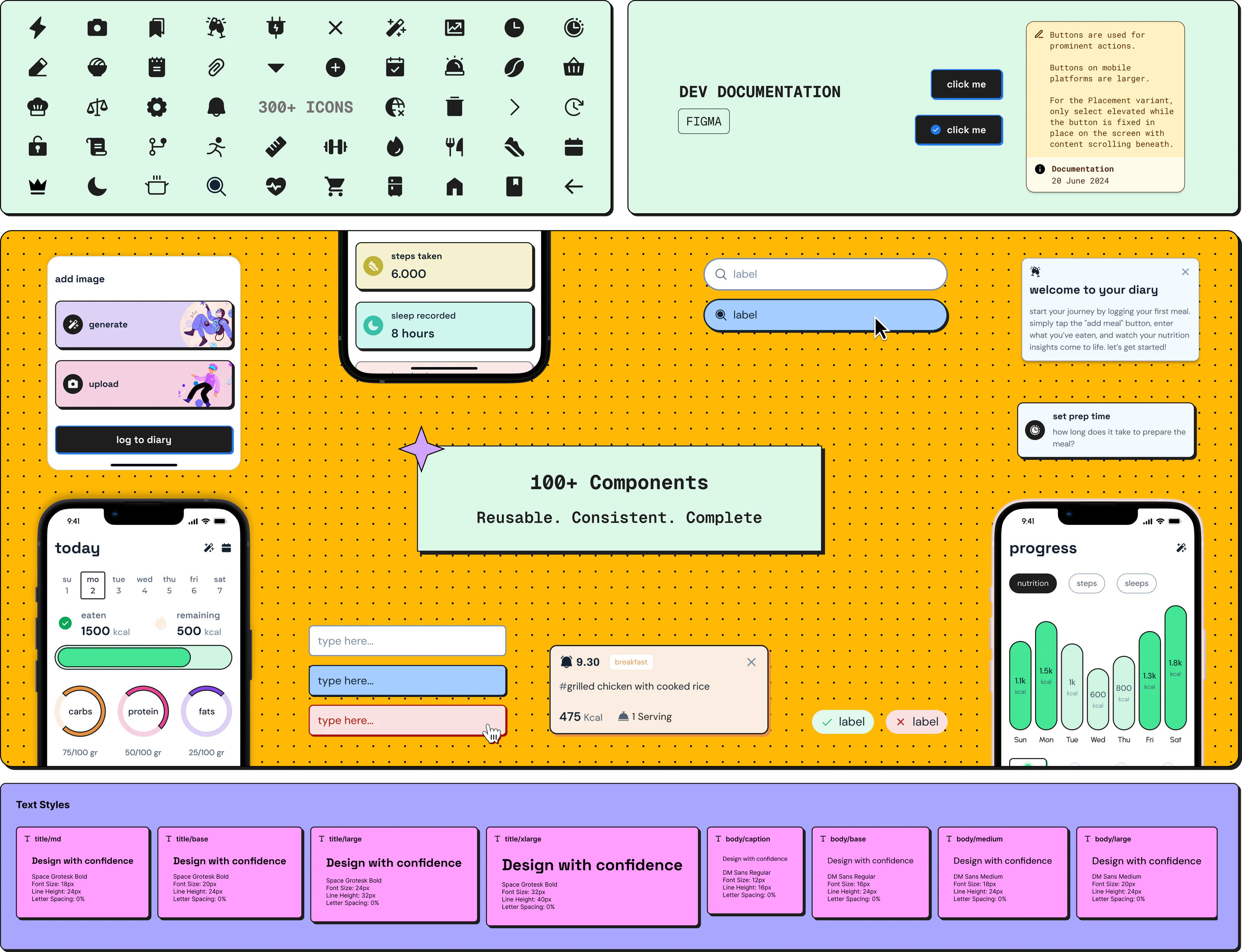
Once it was clear the app would grow significantly, it needed a system that could scale with it. I created The Cookbook, our internal design system, with a bold style of strong strokes and harsh shadows.
The CookbookIcons, documentation, components and text styles.
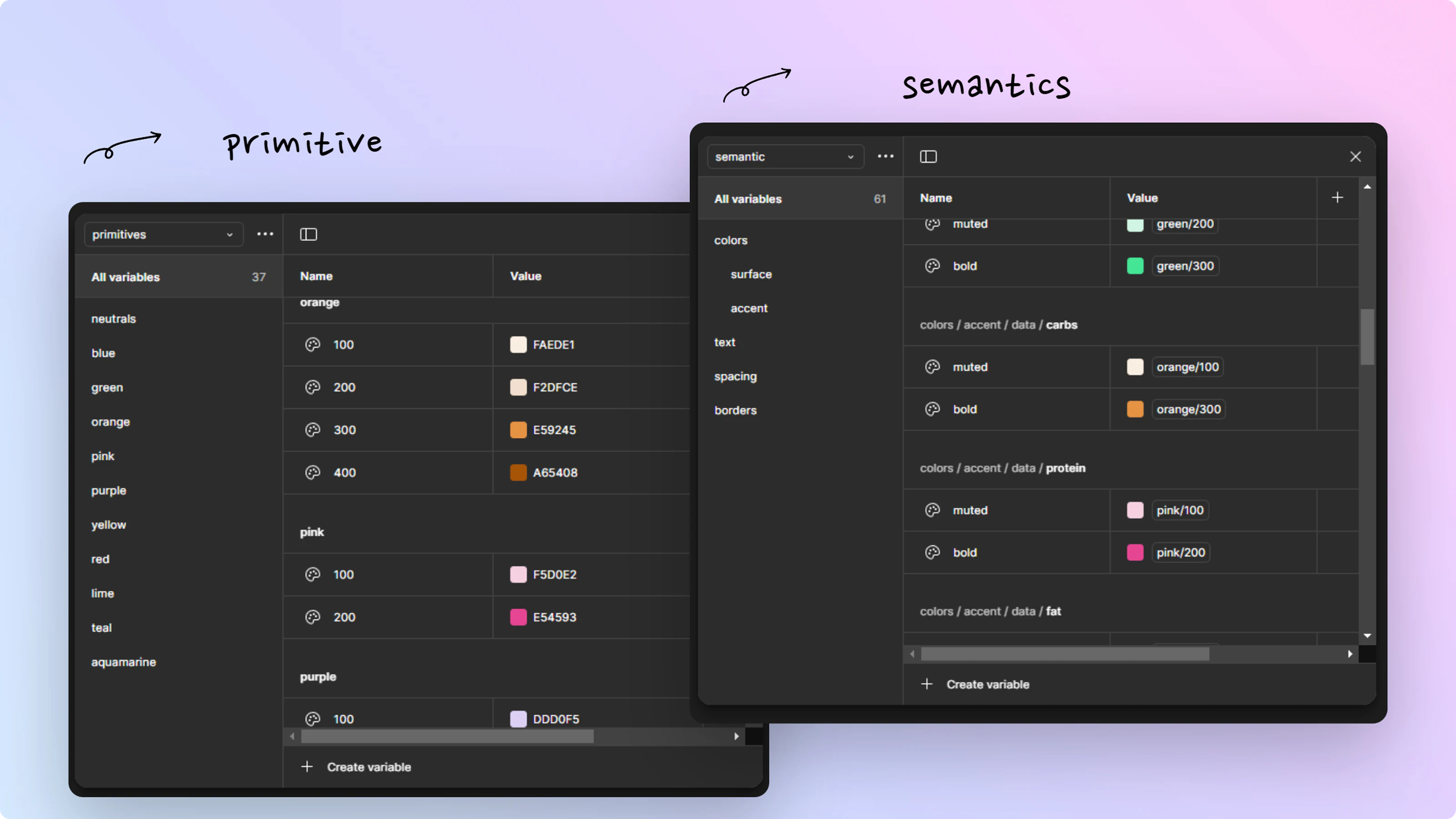
Design tokensPrimary and semantic, in Figma variables.
Dark modePrototyped with Figma's variable modes.

A Bolder Look
The revamped Cook AI reflects its evolution into a full-featured assistant. Strong, confident strokes and pronounced shadows help users tell interactive elements from content.
Cards and controlsWeight marks what can be tapped.
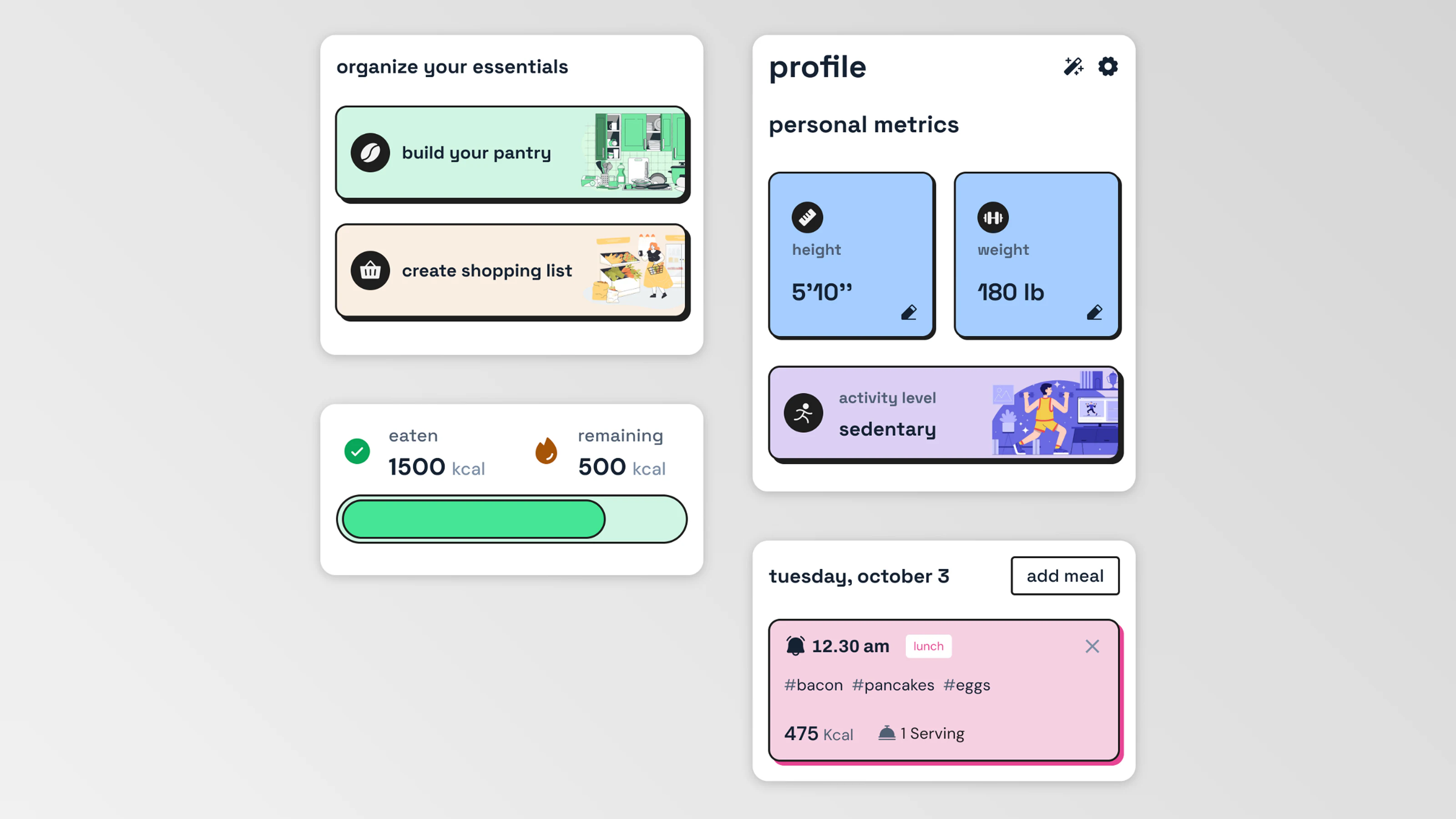
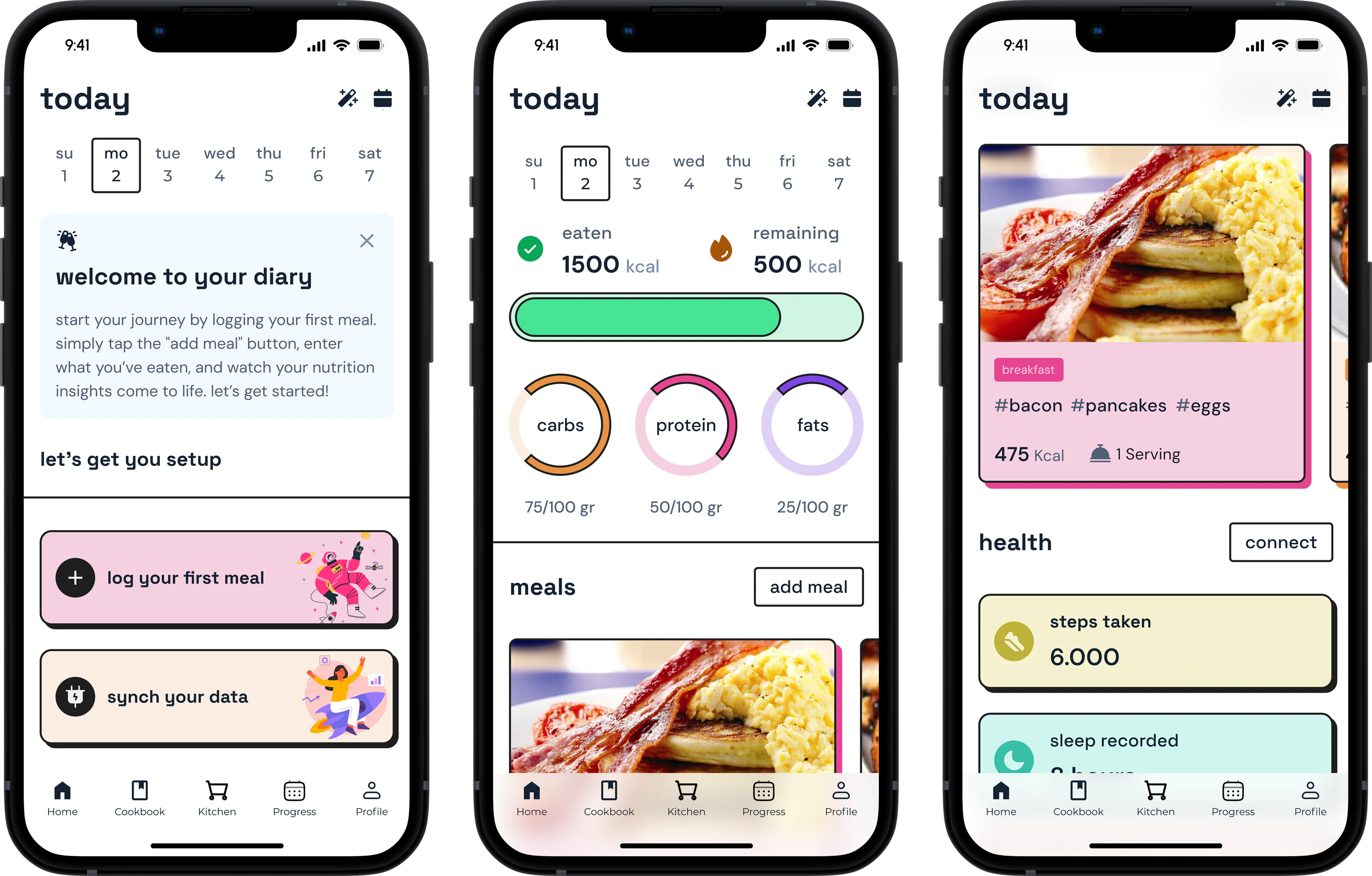
Our home screensA new user's day, a day in progress, meals and health.
More Than Recipes
Cook AI v1 was basically a limited version of ChatGPT. People needed tools that fit into their everyday routines: ways to plan ahead, save favorites, track ingredients, and get more personal suggestions.
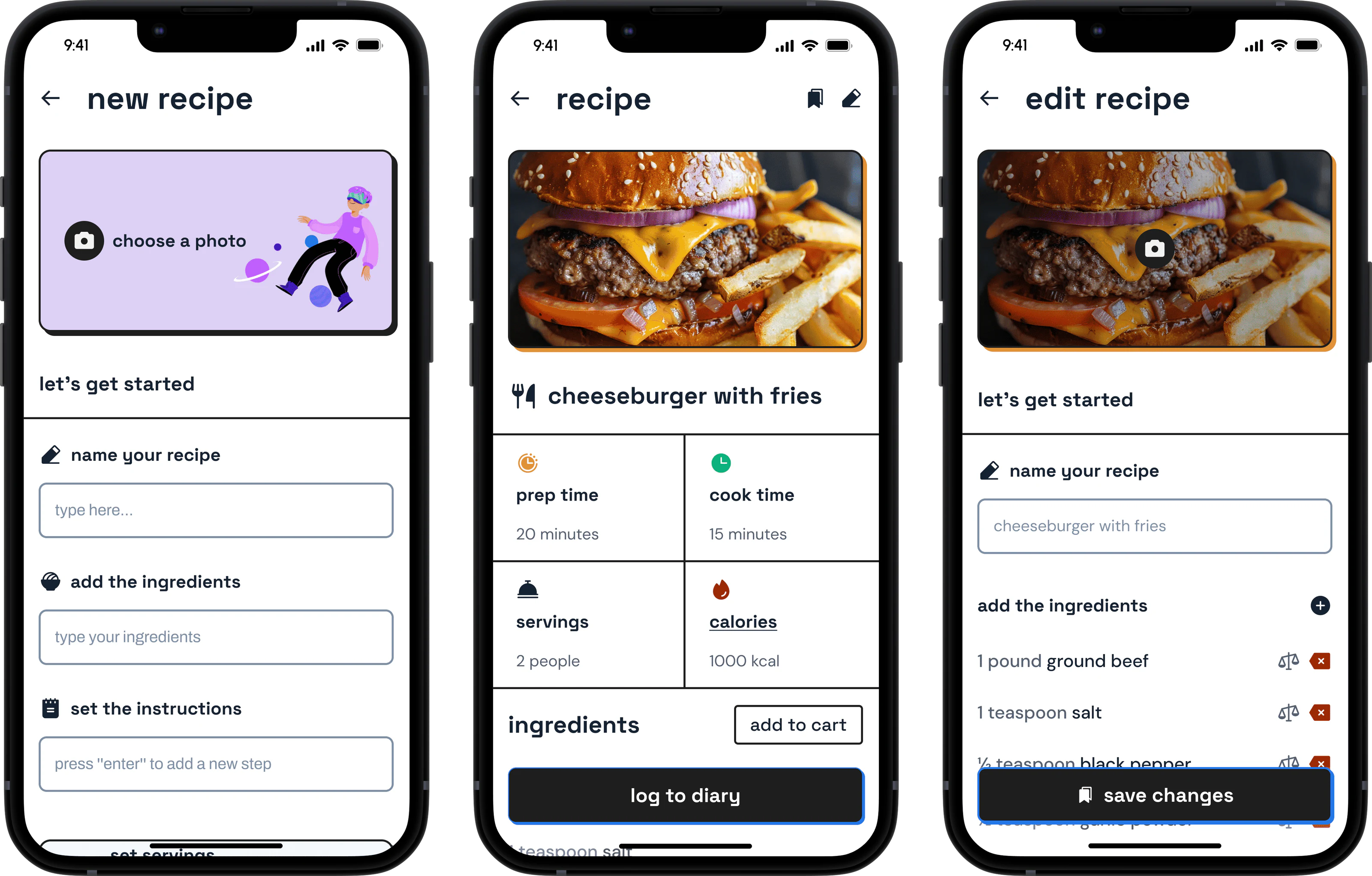
In Cook AI v2 you can log and schedule meals, see your progress, track your ingredients and shopping list, and organize your cookbook.
Create and edit your recipesYour own recipes, with AI ideas when you want them.
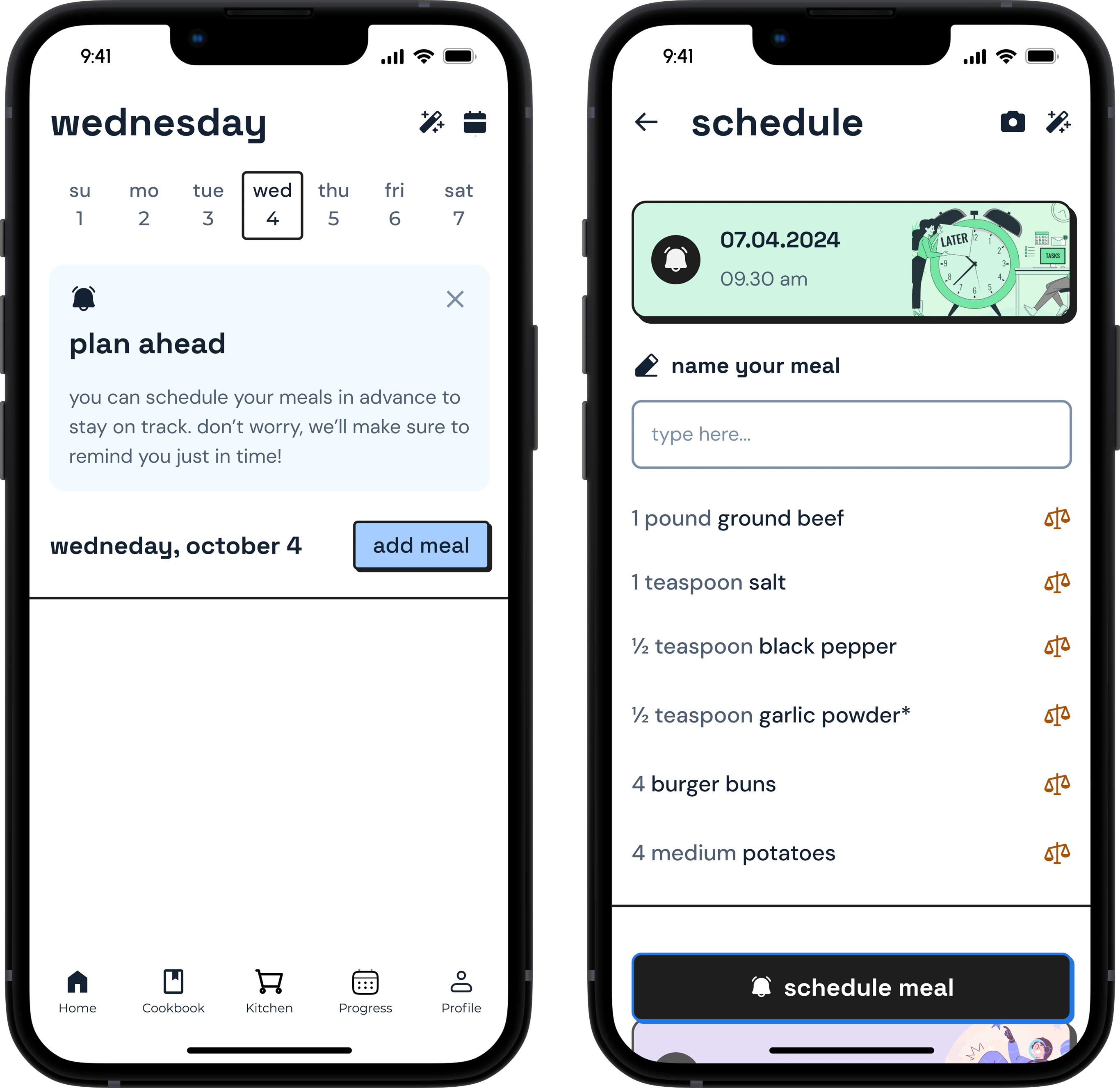
Plan aheadSchedule meals, with a reminder on time.
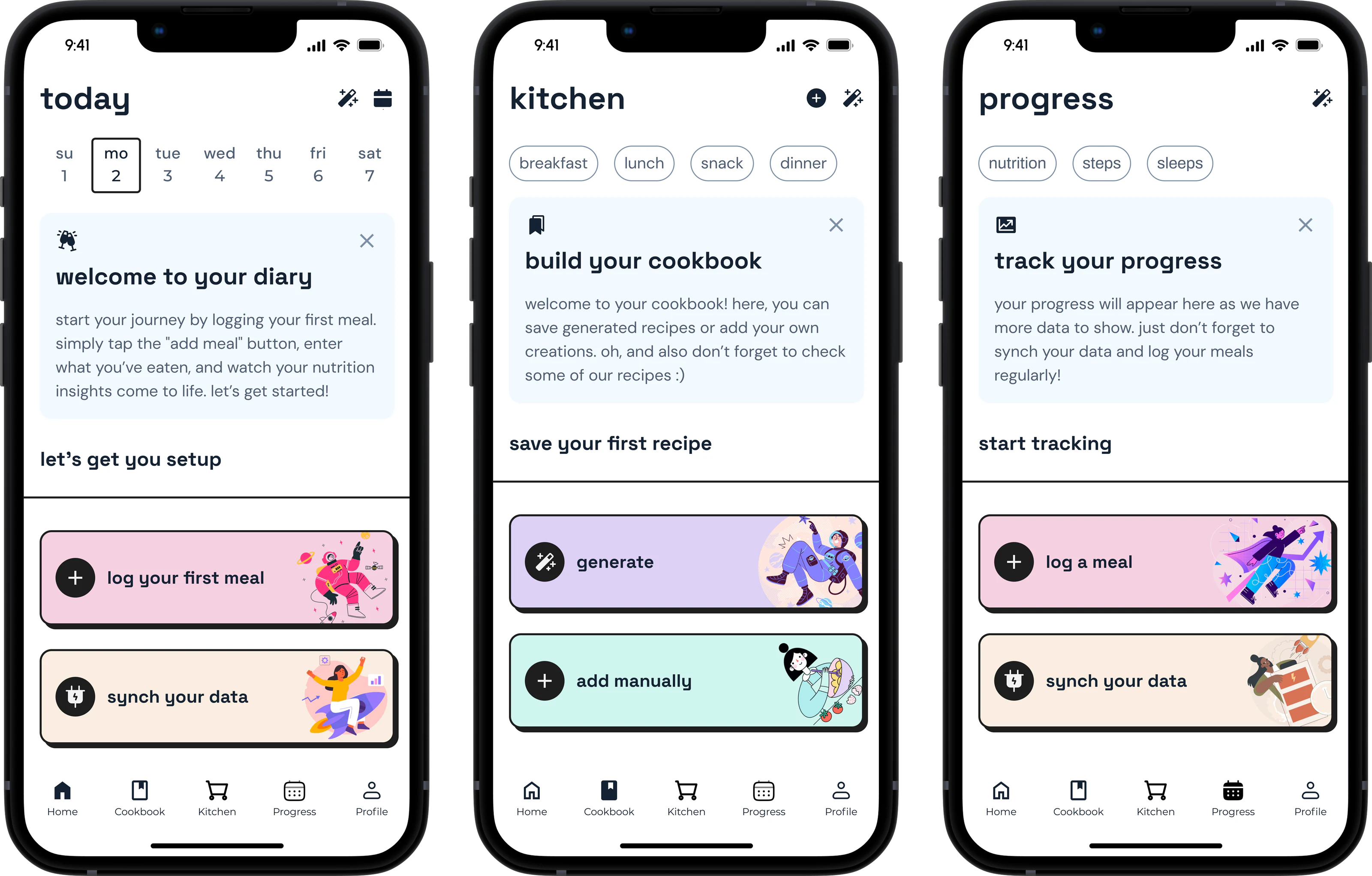
New entry points and empty statesA first step on every tab.
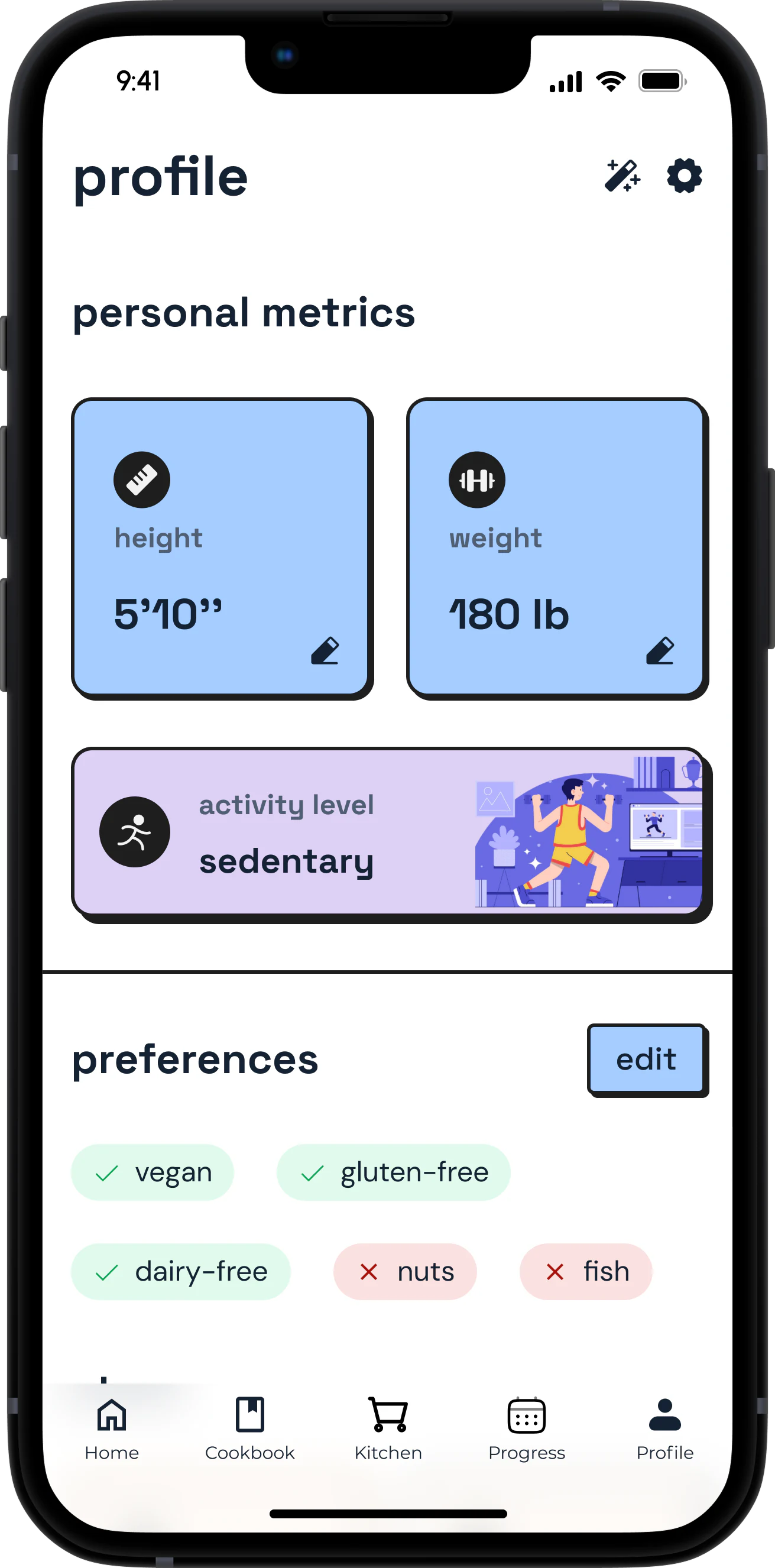
The ProfileHeight, weight, activity, diet and allergies.
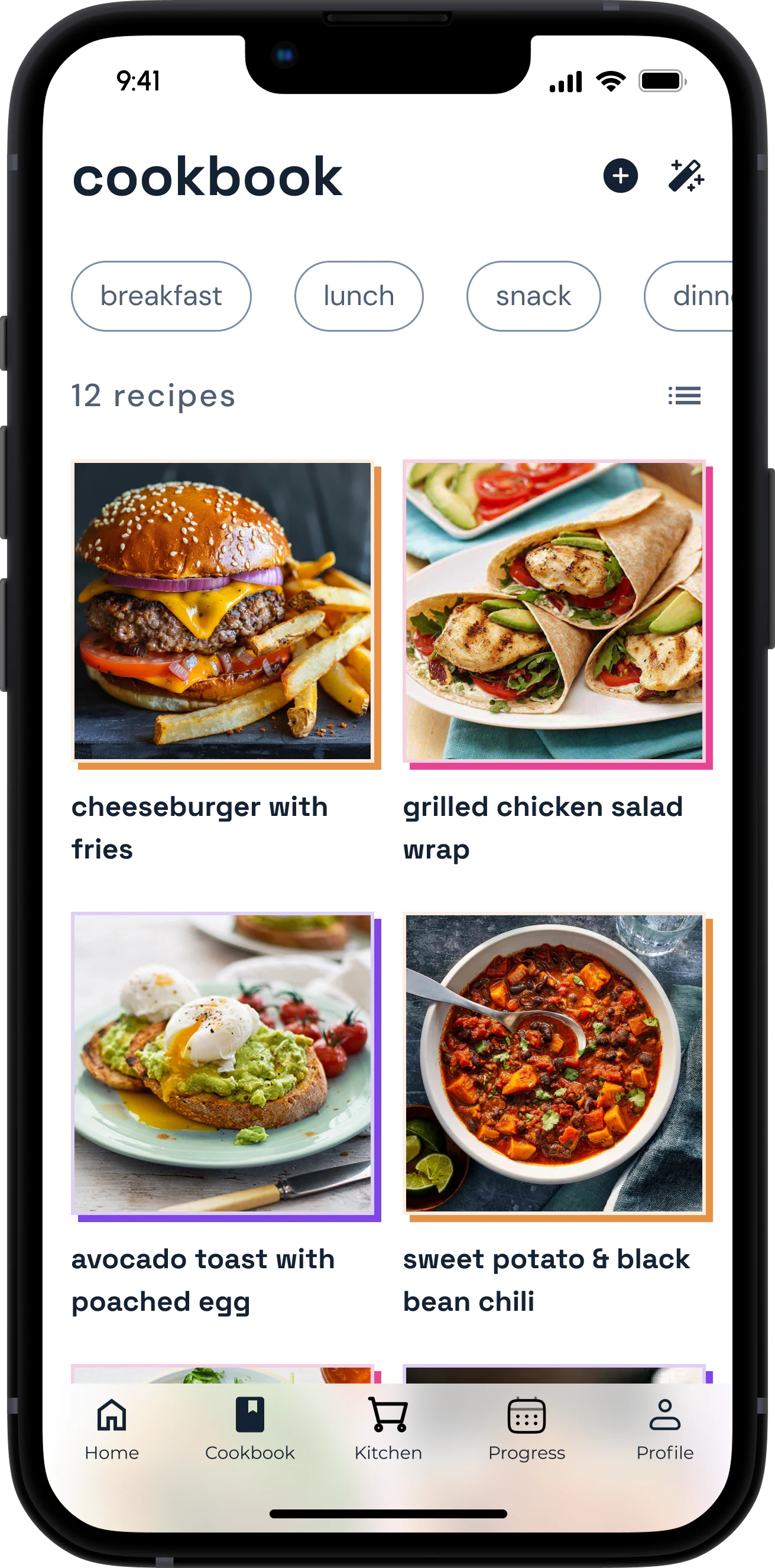
The CookbookSave, organize, and customize recipes.
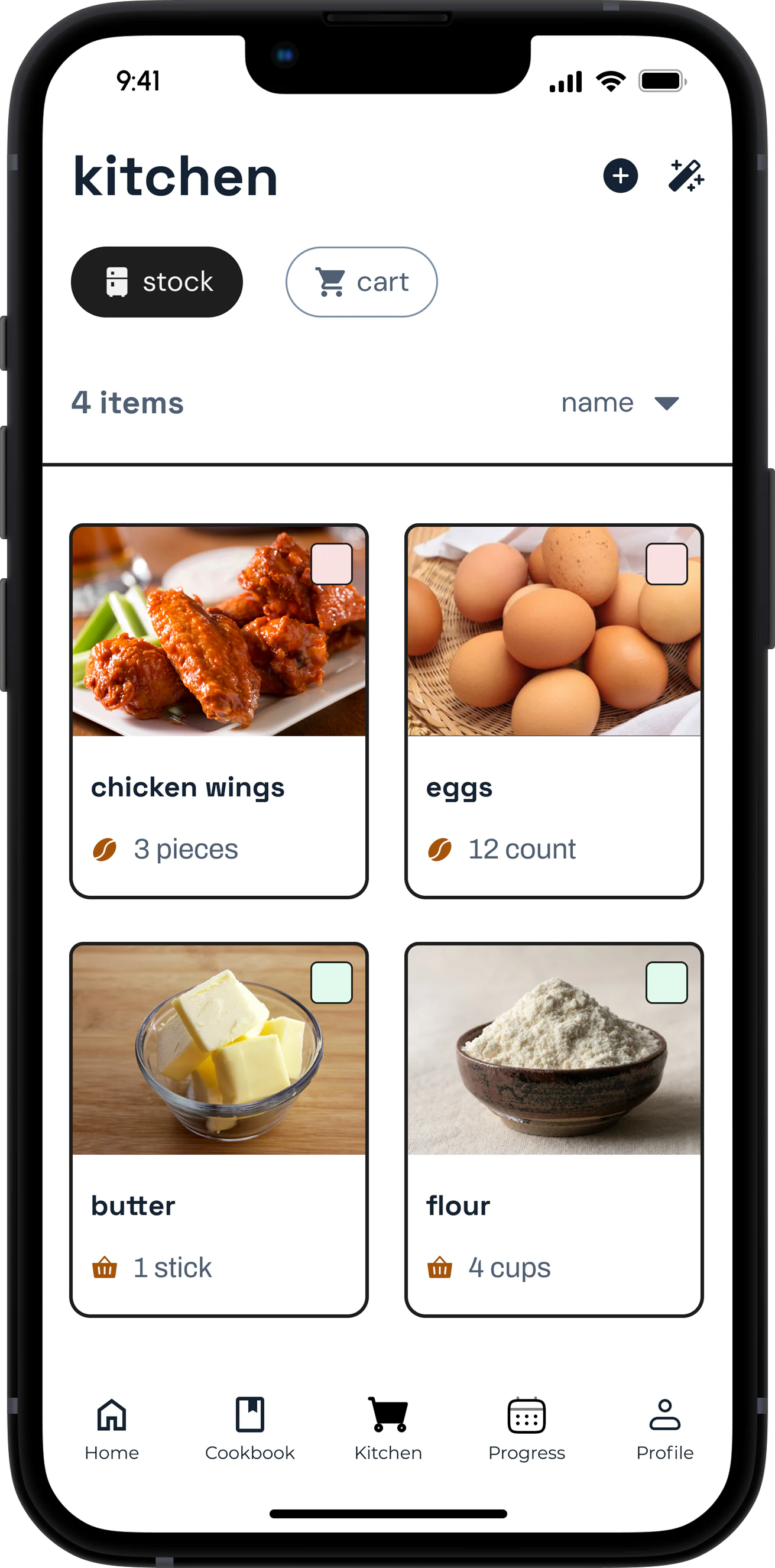
The KitchenIngredients and shopping list in one place.
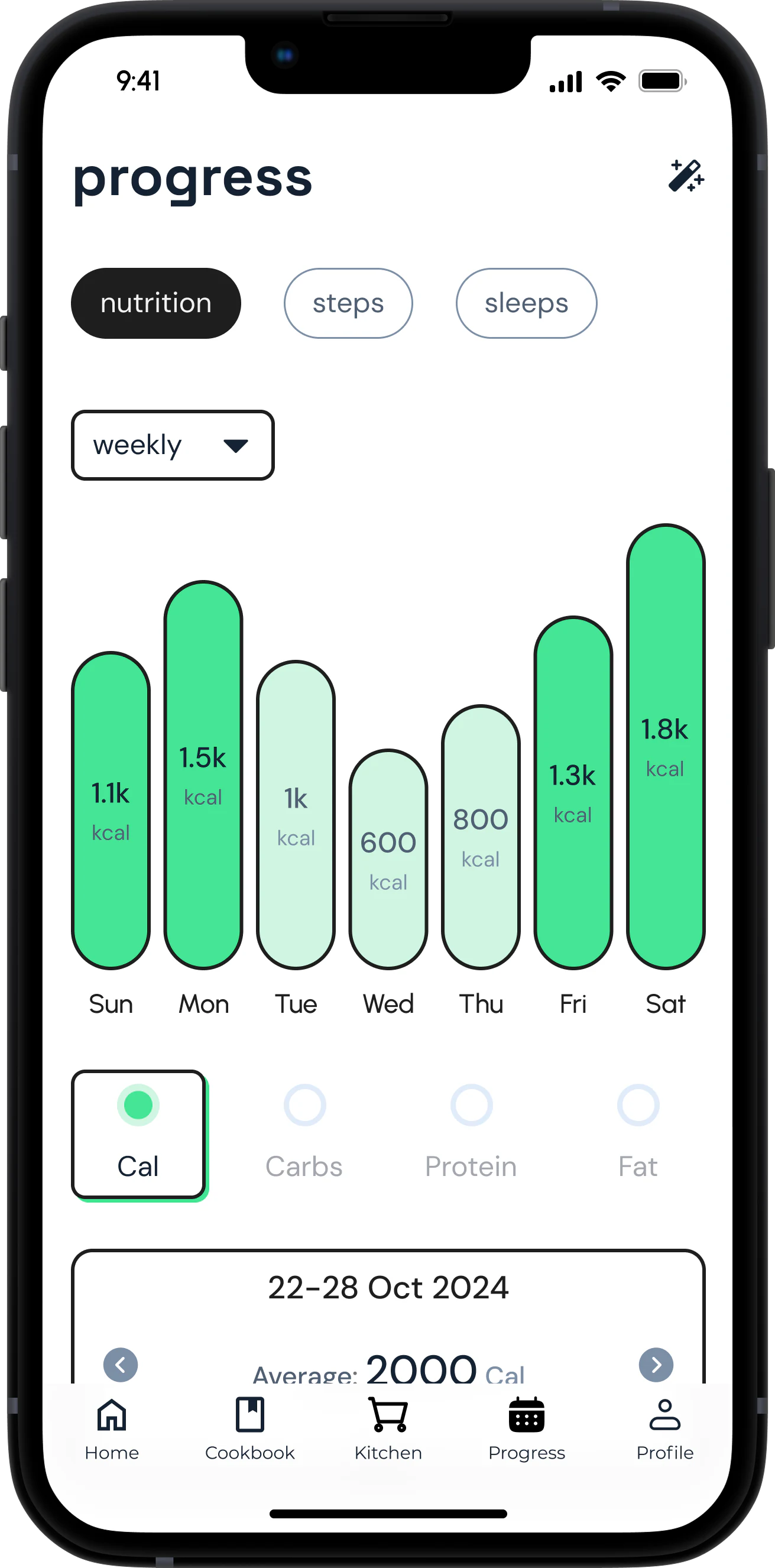
The ProgressCalories, macros, steps, and sleep.
Wrapping It Up
The redesign turned a simple recipe chatbot into a comprehensive cooking assistant built around real user needs: meal planning, ingredient management, and wellness tracking in one consistent interface.